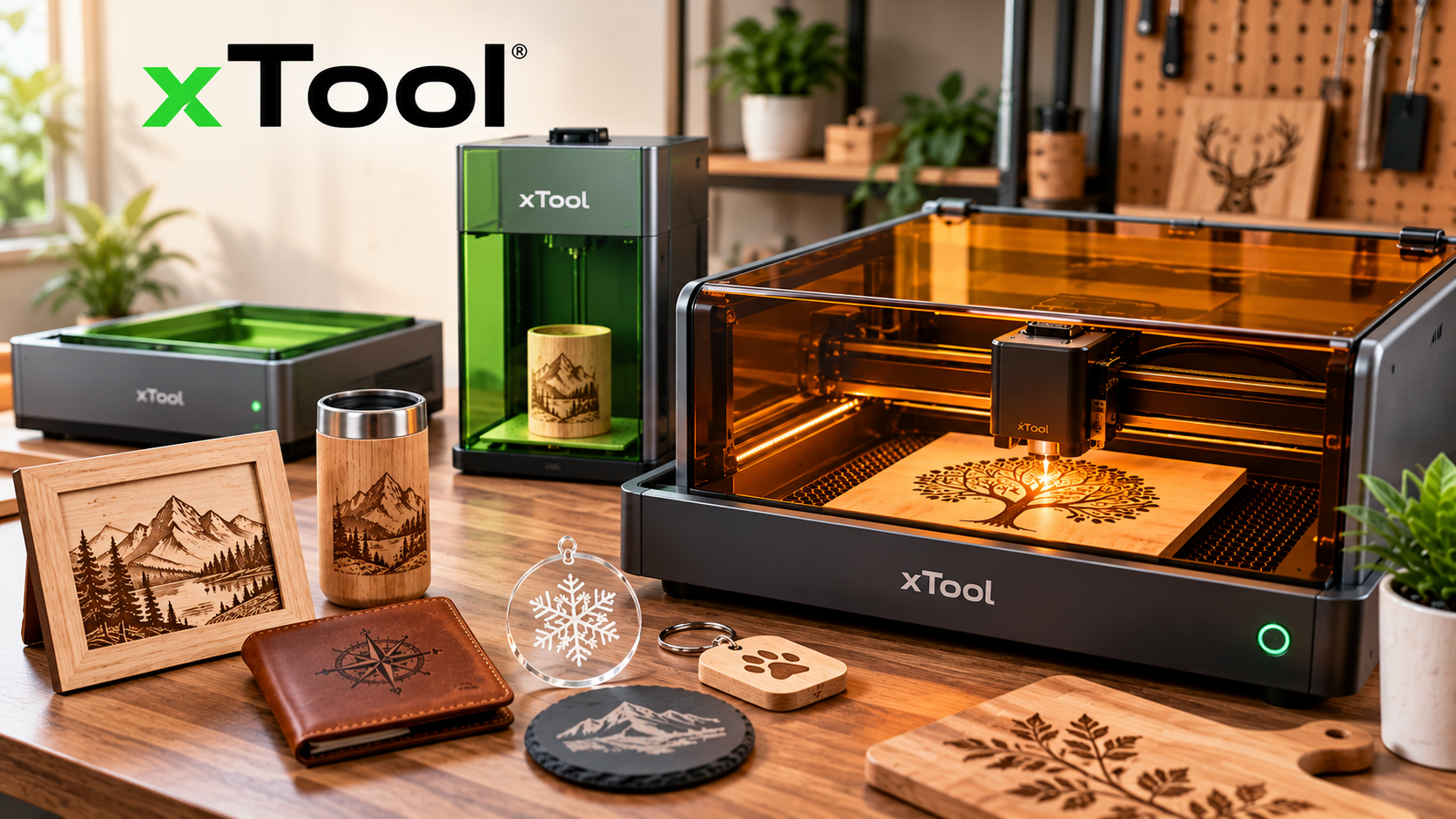
Over the past decade, digital fabrication has transitioned from noisy, specialized industrial machine shops straight onto the desktop workbenches of hobbyists, Etsy shop owners, school STEM labs, and bespoke artisans. Few brands have driven this revolution quite as dynamically as xTool. By pairing consumer-friendly industrial design, rigorous Class 1 laser safety enclosures, intuitive control software, and versatile multi-laser architectures, xTool has developed an ecosystem capable of cutting 20mm cast acrylic, engraving delicate leather, marking titanium with rainbow color, and plotting vinyl stickers—all within compact workshop footprints.
However, with an expanding catalog spanning blue diode cutters, desktop CO2 workhorses, dual-laser galvo engravers, industrial fiber systems, and multi-functional 4-in-1 craft centers, deciding which machine genuinely suits your creative goals can feel daunting. A hobbyist crafting weekend holiday ornaments requires a vastly different optical wavelength and power profile than a boutique jeweler engraving bare brass coins or a production shop batching hundreds of acrylic retail displays.
In this comprehensive maker’s guide, we break down verified technical specifications, explain how different laser wavelengths interact with real-world materials, compare key models side-by-side, analyze real startup expenses, and provide realistic buying scenarios so you can invest with total confidence.
What Can You Create With xTool?
Before comparing wattages or stepper motors, the first question every creator should ask is simple: What do you actually want to make? Different materials absorb different wavelengths of light, meaning a machine that slices effortlessly through dark walnut might bounce harmlessly off transparent acrylic or bare copper. Below are the six primary creative domains powered by xTool machines:
Bespoke Keepsakes & Drinkware
Laser-etched powder-coated tumblers, monogrammed full-grain leather wallets, slate drink coasters, personalized wooden cutting boards, and custom wedding guestbooks.
Architectural Woodwork & Wall Art
Intricate multi-layered 3D mandalas, heirloom wooden toys, custom wall clocks, laser-cut fretwork lamps, holiday ornaments, and structural miniature models.
Jewelry, Coins & Serialized Tags
Deep relief engraving on brass challenge coins, permanent serialized industrial nameplates, titanium rainbow color marking, sterling silver pendants, and stainless steel knives.
Flame-Polished Acrylic & Displays
Crystal-clear acrylic lightboxes, vibrant storefront logos, retail point-of-sale display stands, custom wedding seating charts, and edge-lit LED nightlights.
Branded Swag & Scaled Production
High-volume corporate award plaques, bulk wooden bottle openers, engraved restaurant menu covers, branded hotel keycards, and trade show giveaways.
Vinyl, Textiles & Full-Color Print
Custom t-shirt heat transfer vinyl (HTV), die-cut vinyl stickers, fabric applique cutting for quilters, foil-stamped greeting cards, and direct color inkjet printing on wood.
Find Your Machine by Project Type: Buyer Persona Profiles
Every workshop operates under distinct constraints—available square footage, electrical access, ventilation options, production turnaround targets, and initial budget. Match your profile below to see what features to prioritize and what trade-offs to anticipate:
1. The DIY Hobbyist & Beginner
Core Needs: A gentle learning curve, fully enclosed Class 1 eye-safe operation, straightforward software, and the flexibility to experiment with wood, paper, leather, and craft acrylics without industrial setup hassles.
What to Prioritize: Choose an enclosed system over an open-frame gantry. Open-frame lasers expose curious pets and family members to Class 4 stray reflections and require dedicated outdoor eye gear. An enclosed model like the S1 or M1 Ultra features built-in laser filtering lids, auto-stop safety interlocks, and flame detection sensors.
Trade-offs to Accept: 20W diode lasers cut slightly slower through thick hardwood (requiring multiple passes above 8mm) and cannot cut clear, white, or light blue acrylic.
2. The Personalized-Gift & Pop-Up Vendor
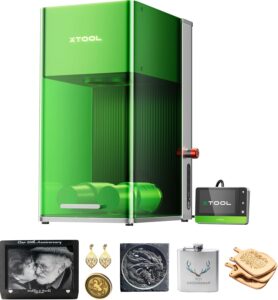
Core Needs: Blazing-fast turnaround times, compact dimensions, rugged portability to pack into a vehicle for weekend farmers markets or craft fairs, and immediate customer gratification.
What to Prioritize: Look specifically for a galvanometer (galvo) scanner rather than a belt-driven Cartesian gantry. The xTool F1 operates at up to 4,000 mm/s by moving micro-mirrors, completing a leather patch or metal business card in 10 to 30 seconds while the customer waits. Its dual lasers (10W blue diode + 2W 1064nm infrared) cover both organics and bare jewelry metals in one 10-lb portable chassis.
Trade-offs to Accept: The standard working bed is compact at 115 × 115 mm (expandable to 400 × 115 mm with the slide extension). It is designed for small gift items, not large signs.
3. The Woodworker & Acrylic Sign Studio
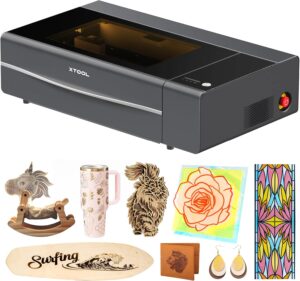
Core Needs: Single-pass deep cutting through 15–20mm hardwood and plywood, crystal-clear flame-polished cut edges on any acrylic color (including clear and mirrored), and a spacious bed size.
What to Prioritize: A CO2 laser tube is non-negotiable here. Diode lasers emit at ~450nm (visible blue light), which passes straight through clear cast acrylic without cutting it. The P2S emits at 10,600nm, which is instantly absorbed by acrylic, leaving perfectly slick, optical-grade cut edges without requiring manual flame polishing. Its dual 16MP cameras and CurveAce 3D mapping allow you to engrave curved bowls and large wooden platters.
Trade-offs to Accept: A heavier physical footprint (approx. 99 lbs), dedicated external water cooling circuit (integrated), and glass CO2 tubes that will eventually need replacement after years of intensive use.
4. The Metal Engraver & Industrial Specialist
Core Needs: Deep 2.5D relief engraving into solid brass challenge coins, knife blades, gun parts, serializing hardened steel, vibrant color annealing on titanium and stainless steel, and cutting thin metal sheets.
What to Prioritize: A dedicated 1064nm Fiber laser source. Diodes and CO2 lasers cannot touch raw reflective metals without specialized chemical marking sprays. The F1 Ultra combines a true 20W fiber laser with a 20W blue diode, driven by an industrial galvo head running at 10,000 mm/s.
Trade-offs to Accept: Higher upfront machine investment; fiber beams cannot cut thick wood (though its secondary 20W diode module handles organic cutting).
5. The Growing E-Commerce & Batch Production Business
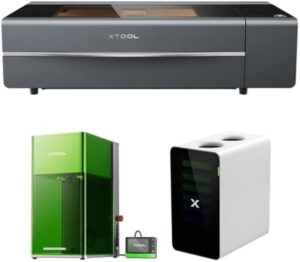
Core Needs: High daily throughput, automated feeding accessories to eliminate manual loading downtime, precision camera alignment to minimize material waste, and durable continuous operation.
What to Prioritize: Automated pass-through and conveyor modules. The P2S can be paired with an automatic conveyor feeder to process 118-inch-long wooden planks or hundreds of small coasters in an unbroken automated queue. Dual 16MP cameras auto-detect material boundaries, letting software place graphics on 50 items simultaneously with one click.
Trade-offs to Accept: Requires dedicated workspace ventilation (exhausting through a window or commercial multi-stage fume extractor) and proper shop-floor layout.
6. The Apparel, Vinyl & Multi-Craft Studio
Core Needs: A versatile maker studio tool capable of cutting heat-transfer vinyl (without scorching), cutting fabric applique, drawing greeting cards with fine pens, and laser-cutting thin craft wood—without having four separate desktop machines.
What to Prioritize: Multi-head modularity. The M1 Ultra is the world’s first 4-in-1 craft machine integrating a diode laser, fine-point vinyl blade, rotary fabric cutter, pen-drawing module, and full-color inkjet printing head. This allows true “print-then-cut” workflows directly on wood, leather, or cardstock.
Trade-offs to Accept: Lower maximum laser cutting thickness compared to dedicated 40W diode or CO2 machines; geared primarily toward mixed craft media rather than heavy industrial cutting.
Understanding xTool Laser Technologies: Optical Physics Made Practical
Laser machines are not universal magic wands. Their cutting and engraving capability is dictated by basic optical physics: wavelength and optical power. When a laser beam hits a material, three things can happen: the light is absorbed (converting into intense heat to melt, burn, or vaporize), transmitted (passing straight through, like light through a window), or reflected (bouncing off, which can damage machine optics).
Diode Lasers
Wavelength & How It Works: Emits at 450–455nm (visible blue light). Solid-state semiconductor diodes combine multiple beams into a microscopic focal point (down to 0.08 × 0.06 mm). Highly reliable, long lifespan (~10,000+ hours), compact footprint, and requires no water cooling.
- Excels At: Solid wood, plywood, MDF, dark/opaque acrylics, genuine leather, slate, painted/anodized aluminum.
- Limitations: Completely transparent, white, and translucent blue acrylics reflect or transmit the 450nm wavelength; cannot mark bare reflective copper, brass, or untreated stainless steel.
CO2 Lasers
Wavelength & How It Works: Emits at 10,600nm (far infrared). An electrical discharge excites a carbon dioxide gas mixture inside a sealed glass tube. The 10.6-micron beam is invisible and steered via high-precision mirrors to a focusing lens.
- Excels At: Acrylic of ANY color (crystal clear, mirrored, frosted, colored) with smooth flame-polished edges; thick hardwood (up to 18–20mm); bare glass etching; rubber stamps; stone.
- Limitations: Highly reflective to bare metals (requires laser-bonding spray like CerMark to mark); glass tube is fragile and gradually degrades over 2–4 years of heavy use.
Fiber Lasers
Wavelength & How It Works: Emits at 1,064nm (near infrared). Optical fiber doped with rare-earth elements generates an intense, ultra-fine laser spot (0.03 × 0.03 mm). Features extraordinary peak energy density and galvanometer scanning up to 10,000 mm/s.
- Excels At: All bare metals (gold, silver, brass, copper, steel, aluminum), hard engineering plastics, deep 2.5D metal relief carving, cutting sheet metal (up to 0.4mm brass).
- Limitations: Ineffective at cutting wood, organic leather, clear glass, or standard transparent acrylics.
Infrared (IR) Solid-State
Wavelength & How It Works: Emits at 1,064nm (compact solid-state IR). A compact solid-state 1064nm module (like the 2W IR source in the xTool F1 or S1 add-on) engineered for high-precision marking on jewelry and metal accessories.
- Excels At: Permanent high-contrast text and photo etching on metal business cards, jewelry charms, dog tags, watch backs, and matte plastics without surface scorching.
- Limitations: Low wattage (2W) means it is strictly for surface marking and etching, not for deep metal cutting.
Quick-Reference Material & Laser Compatibility Matrix
| Material | Diode Laser (450nm) | CO2 Laser (10,600nm) | Fiber / IR Laser (1,064nm) |
|---|---|---|---|
| Natural Wood / Plywood | ✓ Excellent Cut & Engrave | ✓ Deepest & Fastest Cut | ✕ Ineffective / Surface Burn |
| Clear / Transparent Acrylic | ✕ Transmits (Cannot Cut) | ✓ Flame-Polished Perfect Cut | ✕ Transmits (Cannot Cut) |
| Black / Opaque Acrylic | ✓ Cuts Up to 10–15mm | ✓ Cuts Up to 20mm | ~ Engrave / Marking Only |
| Bare Stainless Steel | ✕ Reflects (No Direct Mark) | ~ Marking Spray Required | ✓ Permanent High-Contrast Mark |
| Bare Brass, Copper & Gold | ✕ Reflects (Optical Risk) | ✕ Reflects (Cannot Mark) | ✓ Deep 2.5D Engrave & Thin Cut |
| Anodized / Coated Aluminum | ✓ Sharp White Contrast | ✓ Removes Coating Cleanly | ✓ Deep Etch & Dark Anneal |
| Glass & Crystal | ~ Surface Etch (With Masking) | ✓ Direct Frosting / Etch | ✕ Ineffective |
| Genuine Leather & Slate | ✓ Beautiful Dark Contrast | ✓ Fast Clean Engraving | ~ Low-Depth Surface Mark |
| PVC / Vinyl / Faux Leather | ⚠️ NEVER CUT OR ENGRAVE (Releases Lethal Hydrogen Chloride Gas That Destroys Lungs & Optics) | ||
Featured xTool Machines: Detailed Model Reviews & Spotlights
Below, we examine six of xTool’s flagship and most widely adopted creative machines across different operational tiers. Each review follows a clear structure: product overview, verified technical specifications, core advantages, practical limitations, and a direct link to explore options.
1. xTool S1 — Enclosed Smart Diode Laser Cutter
Product Overview:
The xTool S1 sets the benchmark for what a home or small workshop laser cutter should be. Unlike open-frame diode machines that expose users to hazardous fumes and Class 4 stray reflections, the S1 features a rigid, fully enclosed chassis with an eye-filtering lid that allows safe viewing without laser goggles. Instead of a single wide-angle camera that suffers from optical fisheye distortion near bed edges, the S1 uses an innovative Twin-Point Positioning crosshair system: you manually guide the laser to two boundary points, and the software maps the exact physical workspace with sub-millimeter precision. Furthermore, its motorized Z-axis supports real-time dynamic focus for seamless engraving across curved objects like bowls, guitar bodies, and sloped items.
| Laser Type & Output | Compressed Blue Diode: 20W or 40W (Optional 2W 1064nm IR swap) |
| Working Area | 498 × 319 mm (19.6″ × 12.5″) | Expandable to 3,000 mm with Auto-Passthrough |
| Max Speed & Accuracy | 600 mm/s | 0.01 mm motion precision | 0.08 × 0.10 mm laser spot |
| Cutting Capacity | 40W: Cuts up to 18mm cherry wood / 15mm dark acrylic in single pass |
| Safety Rating | FDA Certified Class 1 (Fully enclosed lid, 5-direction flame sensor, emergency stop) |
| Software & OS | xTool Creative Space (XCS) & LightBurn | Windows, macOS, iPadOS, iOS, Android |
2. xTool P2S — 55W Desktop CO2 Laser Cutter
Product Overview:
The xTool P2S represents the gold standard for desktop commercial fabrication. Upgrading upon the beloved original P2, the P2S doubles X-axis acceleration to 6,400 mm/s² and boosts air assist to 200 kPa, dramatically reducing raster engraving times on vector-heavy signage. Its 10,600nm CO2 beam effortlessly cuts through 20mm clear acrylic, leaving glassy, flame-polished edges that no diode laser can duplicate. Dual 16MP cameras provide a live real-time preview of the entire bed: you simply drag and drop artwork directly onto leftover scrap wood or irregular shapes. With CurveAce algorithm mapping, it scans complex 3D curved surfaces (like baseball bats or ceramic mugs) and adjusts the laser focal point dynamically mid-job.
| Laser Type & Output | 55W CO2 Glass Laser Tube (10,600nm Wavelength) |
| Working Area | 600 × 305 mm (23.6″ × 12.0″) | Infinite length with Automatic Conveyor Feeder |
| Max Speed & Acceleration | 600 mm/s | 6,400 mm/s² acceleration (2× faster acceleration than original P2) |
| Cutting Capacity | Single-pass: 20mm clear/colored acrylic, 18mm black walnut, solid wood |
| Vision & Positioning | Dual 16MP Cameras (Panoramic overview + High-resolution close-up head camera) |
| Airflow & Cooling | 200 kPa High-Pressure Air Assist + Dual Magnetic Exhaust Fans + Internal Water Cooling |
3. xTool F1 Ultra — 20W Fiber & 20W Diode Dual-Laser Galvo
Product Overview:
The xTool F1 Ultra is an industrial powerhouse repackaged into a desktop-friendly enclosure. By marrying a genuine 20W fiber laser with a 20W blue diode, it eliminates the traditional compromise between metal marking and organic wood cutting. Its galvo head moves light via ultra-fast rotating mirrors at an astounding 10,000 mm/s—engraving an intricate stainless steel business card or serial tag in under 5 seconds. The fiber beam delivers deep 2.5D relief carving into solid brass coins and knives, induces vivid rainbow oxidation colors on titanium and stainless steel, and cuts delicate jewelry filigree from 0.4mm brass sheets. With the optional automated conveyor belt, it auto-detects items passing beneath the camera and marks them on-the-fly.
| Dual Laser Power | 20W Fiber Laser (1,064nm) + 20W Blue Diode Laser (445nm) |
| Working Area | 220 × 220 mm (8.66″ × 8.66″) | Expandable to 220 × 500 mm with Auto Conveyor |
| Engraving Speed | Up to 10,000 mm/s (High-speed industrial galvo scanning mirrors) |
| Metal Cutting Depth | Cuts up to 0.4mm brass, 0.3mm stainless steel, 0.2mm aluminum |
| Wood/Acrylic Cutting | 20W Diode cuts up to 15mm wood and 12mm dark acrylic |
| Smart Vision & Memory | Dual 16MP Cameras with Auto-stream batch recognition + 7GB Offline Storage Memory |
4. xTool F1 — Portable Dual-Laser Galvo Engraver
Product Overview:
The original xTool F1 revolutionized on-site customization. Weighing only 10 lbs with an integrated grab-and-go handle and fully enclosed emerald safety shield, it is engineered for live personalization at craft fairs, pop-up boutiques, wedding receptions, and farmers markets. You can personalize a metal business card, stainless steel flask, leather dog collar, or wooden keychain in less than a minute. Its high-speed live light framing projects a precise rectangular or outline boundary directly onto the physical object, guaranteeing flawless alignment without trial-and-error waste.
| Dual Laser Output | 10W 455nm Blue Diode + 2W 1064nm Infrared (IR) Solid-State Laser |
| Working Area | 115 × 115 mm (4.5″ × 4.5″) | Expandable to 400 × 115 mm with Slide Extension |
| Speed & Resolution | 4,000 mm/s max speed | 0.00199 mm motion accuracy | 0.03 mm IR spot size |
| Weight & Dimensions | 4.6 kg (10.1 lbs) | 179 × 235 × 334 mm | Built-in top handle |
| Focus & Framing | Dual Red-Dot Manual Alignment or Software Autofocus | Ultra-Fast Light Framing |
5. xTool M1 Ultra — 4-in-1 Multi-Tool Hybrid Craft Center
Product Overview:
The xTool M1 Ultra is the ultimate desktop craft synthesizer. For crafters who juggle Cricut vinyl cutters, sewing fabric patterns, and laser engravers, the M1 Ultra consolidates four distinct machine categories into one elegant enclosure. With its quick-swap toolhead mechanism, you can laser-cut wooden earrings, switch to the inkjet module to print full-color graphics directly onto the wood grain, and finish by blade-cutting adhesive vinyl packaging. It cleanly cuts delicate heat-transfer vinyl (HTV) using a drag knife—completely eliminating the toxic risk of laser-cutting vinyl—and glides through stretchy fabrics like denim and linen using a motorized rotary blade.
| Processing Heads | 10W/20W Diode Laser, Fine-Point Blade, Rotary Blade, Pen Plotter, Color Inkjet Module |
| Working Area | Laser: 300 × 300 mm | Blade: 300 × 300 mm | Inkjet Print: 296 × 286 mm |
| Laser Cutting Capacity | 20W: Cuts up to 10mm basswood, 6mm dark acrylic | 10W: Cuts 6mm basswood |
| Blade Cutting Capacity | Fine Blade: Vinyl, HTV, cardstock (≤1.5mm) | Rotary Blade: Denim, felt, linen |
| Safety & Footprint | Class 1 Certified Enclosure | 620 × 498 × 178 mm | 12 kg (26.5 lbs) |
6. xTool D1 Pro — High-Precision Open-Frame Diode Workhorse
Product Overview:
For woodworkers, garage workshop enthusiasts, and makers who want maximum bed size and raw cutting power on a sensible budget, the open-frame xTool D1 Pro remains a legendary staple. Unlike flimsy plastic hobby gantries, the D1 Pro is built with industrial steel rollers and synchronous belts tensioned over rigid aluminum extrusions, eliminating wobble and belt backlash during fine vector lines. With the optional 40W module, it powers through 15mm pine in a single pass. The open underside allows you to place the machine directly on top of oversized tabletops, acoustic panels, or large wooden chests to engrave surfaces that would never fit inside an enclosed box.
| Laser Options | 10W, 20W, or 40W Compressed Blue Diode (455nm) |
| Working Area | 430 × 400 mm (16.9″ × 15.7″) | Expandable with Extension Kit to 936 × 430 mm |
| Max Speed & Accuracy | 400 mm/s | 0.01 mm positioning accuracy | 0.08 × 0.08 mm ultra-fine laser spot |
| Chassis & Motion | All-metal aluminum frame + Industrial-grade steel wheels and enclosed timing belts |
| Safety & Hardware | Flame sensor, tilt detection stop, physical limit switches, laser safety shield |
Side-by-Side Comparison: xTool Machines at a Glance
Compare core specifications, operational advantages, and project sweet spots across all six featured machines:
| Machine | Laser Tech | Working Area | Max Speed | Key Advantage | Main Consideration | Explore |
|---|---|---|---|---|---|---|
| xTool S1 | 20W / 40W Diode (+2W IR) | 498 × 319 mm | 600 mm/s | Class 1 enclosed safety & dynamic 3D curved focus | Cannot cut clear acrylic | View → |
| xTool P2S | 55W CO2 Laser Tube | 600 × 305 mm | 600 mm/s | Cuts 20mm clear acrylic with flame-polished edge | Heavy 99-lb unit; tube lifespan | View → |
| xTool F1 Ultra | 20W Fiber + 20W Diode | 220 × 220 mm | 10,000 mm/s | Deep metal relief & cuts sheet brass/steel | Premium investment; smaller bed | View → |
| xTool F1 | 10W Diode + 2W IR | 115 × 115 mm | 4,000 mm/s | 10-lb portable galvo for live pop-up events | Compact 4.5″ × 4.5″ work zone | View → |
| xTool M1 Ultra | 10W/20W Laser + Blades + Print | 300 × 300 mm | 400 mm/s | 4-in-1 toolhead: vinyl blade, inkjet print, diode | Craft-focused; lower speed | View → |
| xTool D1 Pro | 10W, 20W, or 40W Diode | 430 × 400 mm | 400 mm/s | Accessible price & expandable large wood bed | Open frame requires goggles/exhaust | View → |
Note: Working areas represent standard bed dimensions. Expansion accessories (e.g. S1 Auto-Passthrough, P2S Conveyor, F1 Slide Extension, D1 Pro Extension Kit) increase length significantly.
The Real Cost of Getting Started: Budgeting Beyond the Machine
A common beginner mistake is spending 100% of your budget on the base machine, only to realize on delivery day that you cannot cut cleanly without essential peripherals. To run a safe, professional, and efficient laser setup, budget for these workshop accessories:
1. Air Filtration & Ventilation
Vaporized wood, acrylic, and leather generate substantial smoke, particulate matter, and odor. If your workspace has an accessible window, an inline exhaust booster fan ($40–$80) vented outside is the most economical solution. If operating in a shared apartment, classroom, or basement without outdoor access, a dedicated multi-stage smoke purifier with HEPA and activated carbon filtration is required.
2. Smart Air Assist System
Air assist pumps high-pressure air through a concentrated nozzle directly around the focal point. This serves two critical roles: blowing away flammable wood vapors to eliminate charred, yellow burn halos, and protecting expensive optical lenses from soot buildup that causes lens cracking.
3. Honeycomb Working Panel & Riser
Cutting flat materials on a solid steel bed causes heat to bounce back, resulting in charred grid marks on the underside of your workpiece. A honeycomb panel elevates the material on open aluminum cells for pristine through-cuts. A riser base elevates the machine chassis to accommodate tall tumblers and thick wooden boxes.
4. Rotary Attachment (xTool RA2 Pro)
Tumblers, Stanley cups, wine glasses, wedding flutes, baseballs, and rings require rotational indexing. The xTool RA2 Pro 4-in-1 rotary attachment includes roller, chuck, sphere, and ring fixtures, making it arguably the highest-ROI accessory for gift and drinkware personalization.
Software Costs: The official software, xTool Creative Space (XCS), is completely free, runs natively on Windows, macOS, iPad, and mobile devices, and includes regular feature updates and material test matrices. If you later graduate to advanced industrial nesting and multi-layer vector engineering, the industry-standard LightBurn software is compatible with xTool gantry machines via an affordable one-time lifetime license.
Safety, Materials, and Workspace Checklist
Laser cutters are intensely empowering creative instruments, but they operate by concentrating thermal energy into microscopic focal points. Maintaining a safe workshop environment requires following disciplined protocols:
Workshop Safety Best Practices
- Never Leave an Operating Machine Unattended: Laser cutting involves deliberate combustion; always remain in the same room with clear visual sightlines.
- Keep Fire Suppression Nearby: Maintain a fire blanket and a clean-agent (CO2 or Halotron) fire extinguisher within arm’s reach of your bench.
- Enclosure Safety Interlocks: Never bypass lid sensors or interlocks on Class 1 machines (S1, P2S, F1 Ultra).
- Eye Protection on Open Gantries: Always wear certified OD4+ laser safety goggles tuned specifically to the machine’s nanometer wavelength when operating open-frame systems.
- Inspect & Clean Optical Lenses: Clean laser lenses and protective glass with isopropyl alcohol weekly to prevent soot-induced thermal cracking.
Prohibited & Hazardous Materials
- PVC, Vinyl, and Pleather (Faux Leather): Under thermal laser breakdown, chlorine reacts with airborne moisture to create pure hydrogen chloride gas. It destroys human respiratory tracts and rapidly corrodes internal steel rails and mirrors.
- ABS Plastic: Emits toxic hydrogen cyanide fumes and melts into sticky, highly flammable pools rather than vaporizing cleanly.
- Polycarbonate (Lexan): Absorbs infrared poorly, cuts with thick black soot, discolors instantly, and catches fire easily.
- Unidentified Plastics & Synthetics: Never process random plastic scraps without verifying their exact chemical safety data sheet (SDS).
Is xTool Worth Considering? An Honest Ecosystem Evaluation
With numerous generic open-frame laser kits flooding online marketplaces at low price points, why do thousands of professional makers and small business owners invest in xTool?
1. Integrated Safety and Turnkey Reliability: Building an open-frame laser kit from bare extrusions often involves loose wires, unshielded beams, and finicky third-party firmware. xTool designs machines from the ground up as cohesive consumer electronics, integrating Class 1 safety enclosures, automatic flame detection, tilt shutoffs, and emergency stop buttons. For home workshops and schools, this safety architecture is invaluable.
2. Seamless Software Integration: The learning curve on generic CNC lasers often stalls at confusing software configurations. xTool Creative Space (XCS) simplifies design placement, offering automated smart camera alignment, generative AI vector tools, curved-surface mapping, and extensive pre-tested material cut/engrave presets. You can import an SVG or PNG and start cutting in minutes.
3. Modular Ecosystem Longevity: When your projects scale, xTool machines scale with them. Accessories like the RA2 Pro rotary, automated conveyor feeders, extension kits, riser bases, and smoke purifiers integrate plug-and-play across multiple models, protecting your peripheral investments as you upgrade base units.
Balanced Considerations: xTool machines carry a premium price tag compared to bare-bones DIY gantry kits. Furthermore, replacement proprietary parts and specialized add-on modules are specific to the xTool ecosystem. However, for users who value time, safety, customer support, and commercial-grade finish quality, xTool delivers an exceptionally dependable return on investment.
Practical Buying Scenarios: Real-World Matching
Scenario A: The Weekend Crafter Making Holiday Gifts & Decor
Profile: Sarah wants to personalize cutting boards for family, engrave leather journals, create wooden Christmas ornaments, and cut cardstock greeting cards from her home dining room.
Best Match: xTool M1 Ultra or xTool S1 (20W). The M1 Ultra provides multi-tool versatility (diode laser, paper blade, vinyl cutting, color print) in a safe, quiet enclosed format that fits cleanly on a standard craft table.
Scenario B: The Etsy Boutique Selling Custom Tumblers & Pop-Up Goods
Profile: Marcus sells customized powder-coated tumblers online and sets up a booth at local weekend festivals to engrave customer flasks, keychains, and dog tags in real time.
Best Match: xTool F1 with the RA2 Pro Rotary. The 4,000 mm/s galvo speed engraves tumblers in under two minutes, and the 10-lb portable chassis packs into a car trunk effortlessly.
Scenario C: The Custom Knife Maker & Fine Jewelry Artisan
Profile: Elena crafts custom damascus steel knives, solid brass EDC challenge coins, and engraved titanium pendants requiring deep, tactile relief and color marking.
Best Match: xTool F1 Ultra. Its 20W fiber laser easily tackles bare reflective brass, copper, titanium, and steel with 2.5D deep relief carving that diode and CO2 lasers cannot touch.
Scenario D: The Commercial Sign & High-Volume Decor Studio
Profile: Dave operates a full-time design business manufacturing 3D acrylic corporate lobby logos, LED edge-lit signage, and multi-layered wooden wall art in daily batch runs.
Best Match: xTool P2S (55W CO2) with the Automatic Conveyor Feeder. The 55W CO2 tube slices 20mm clear cast acrylic with glassy flame-polished edges, and the conveyor feeds 10-foot-long sheets continuously without operator handling.
Frequently Asked Questions: Real Maker Answers
What is xTool best known for in the creative industry?
xTool is renowned for pioneering consumer-accessible digital fabrication tools that combine industrial-grade cutting power with turnkey Class 1 laser safety enclosures, intuitive control software (XCS), and innovative multi-laser architectures (such as combining fiber and diode lasers in the F1 Ultra, or 4-in-1 hybrid toolheads in the M1 Ultra).
Which xTool machine should an absolute beginner choose?
For pure laser crafting (wood, leather, dark acrylic, slate), the xTool S1 (20W) is the premier starting point thanks to its fully enclosed eye-safe lid, simple Twin-Point positioning, and robust safety sensors. If your crafting involves mixed media like vinyl stickers, fabric, and color printing, the xTool M1 Ultra is an exceptional all-in-one alternative.
What is the fundamental difference between diode and CO2 lasers?
The core difference is optical wavelength. Diode lasers emit visible blue light at ~450nm, which is highly efficient for organic wood, dark acrylics, and leather, but transmits straight through clear acrylic without cutting it. CO2 lasers emit far-infrared light at 10,600nm, which is instantly absorbed by acrylic of all colors (leaving slick flame-polished edges) and cuts thick wood with immense speed.
Can an xTool machine engrave bare metal?
Yes, but you must choose the correct laser source. Bare metals (stainless steel, brass, aluminum, copper, gold) reflect blue diode and CO2 light. To engrave bare metals directly without chemical marking sprays, select a 1,064nm infrared or fiber laser, such as the xTool F1 (2W IR) or the industrial xTool F1 Ultra (20W Fiber).
Can an xTool laser cut acrylic?
Yes, with an important distinction: Diode lasers (S1, D1 Pro, M1 Ultra) cut black and dark-colored acrylic easily, but cannot cut clear, white, or light blue acrylic. CO2 lasers (P2S) cut acrylic of ANY color and transparency up to 20mm thick with pristine, flame-polished edges.
What safety and ventilation equipment is required before starting?
Every laser setup requires active smoke ventilation—either venting outdoors via an exhaust pipe and booster fan or routing through a multi-stage HEPA/activated-carbon smoke purifier. If operating an open-frame laser (D1 Pro), certified OD4+ wavelength safety goggles are mandatory. A fire blanket and a clean-agent fire extinguisher should always be stationed nearby.
How does xTool Creative Space (XCS) compare with LightBurn?
xTool Creative Space (XCS) is free, highly intuitive, and purpose-built for xTool machines, supporting camera drag-and-drop alignment, curved 3D surface mapping, and mobile/tablet editing. LightBurn is a paid third-party software ($60) preferred by experienced vector technicians for advanced industrial nesting, multi-pass optimization, and cross-brand CNC operation.
Can you realistically build a profitable business with an xTool machine?
Thousands of creators successfully operate profitable Etsy shops, corporate merchandise businesses, and mobile festival booths using xTool machines. High-margin items include personalized drinkware (tumblers), wedding signage, personalized leather gifts, and custom jewelry. Business profitability depends on market demand, original design work, pricing strategy, and disciplined production.
Final Recommendation: Selecting Your Ideal xTool Setup
Digital laser fabrication unlocks creative freedom and commercial potential that were unimaginable just a few years ago. Choosing the right machine comes down to aligning optical capabilities with your primary materials:
- If you want the safest, most versatile enclosed diode cutter for wood, craft decor, and home DIY: choose the xTool S1 (20W or 40W).
- If your focus is high-margin signage, 20mm acrylic cutting, and commercial volume: invest in the xTool P2S (55W CO2).
- If you need deep metal engraving, coin carving, and rapid 10,000 mm/s batching: select the xTool F1 Ultra (20W Fiber + 20W Diode).
- If you sell at craft fairs, farmers markets, and live pop-up events: grab the portable xTool F1.
- If your workshop blends vinyl, fabrics, full-color printing, and laser crafting: choose the xTool M1 Ultra.
Explore Verified xTool Machines, Bundles & Materials
Review current machine specifications, package configurations, rotary bundles, and seasonal offers directly on the official store: