
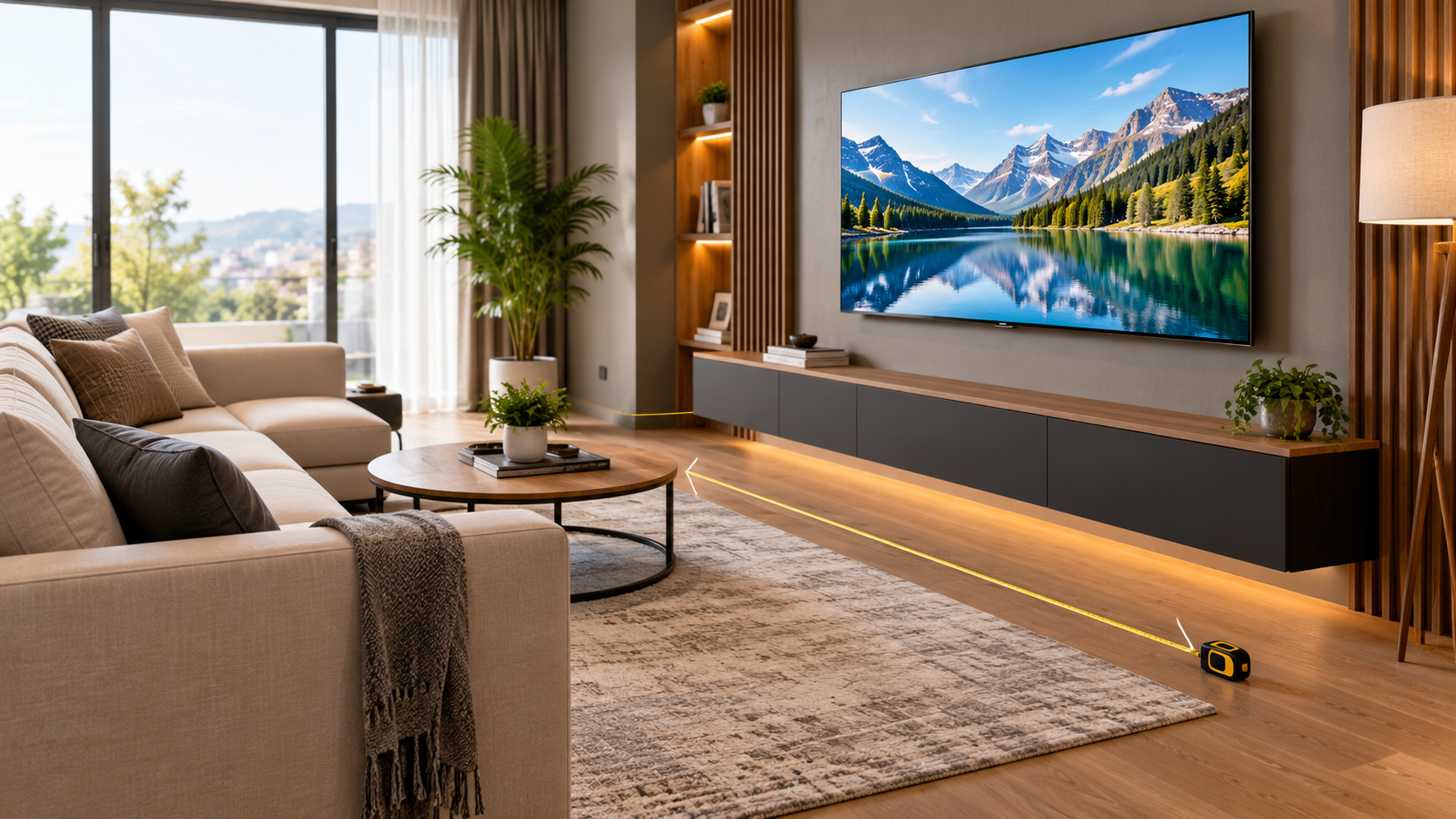
The Showroom Illusion: Why Choosing a TV Size Is Tricky
Walking into an electronics showroom can be deceptive. Under soaring warehouse ceilings and intense commercial lighting, an 85-inch television looks modest, while a 55-inch screen appears tiny. Retailers showcase screens with vibrant, looping 4K reels designed to dazzle, making bigger feel undeniably better. Yet, bringing that oversized display home often results in buyer remorse: the panel swallows the room, strains your eyes, and feels like an intrusive billboard.
Choosing too small a screen leaves you squinting at subtitles and missing cinematic nuance. Picking the right television size is a practical balance between viewing distance, room dimensions, and content habits. Understanding this relationship guarantees your new television looks and feels natural from the day it arrives.
Understanding Viewing Distance and Field of View
Your ideal television size depends primarily on field of view—the angle the screen covers in your horizontal vision. Sit too far away, and the picture feels like a detached window. Sit too close, and you will constantly swivel your neck to track dialogue and action.
Industry standards provide two helpful benchmarks:
- SMPTE Standard (30-Degree Angle): Recommended by the Society of Motion Picture and Television Engineers, a 30-degree field of view is ideal for everyday viewing, including news, sports, and casual streaming. It provides an engaging picture without overwhelming peripheral vision.
- THX Standard (40-Degree Angle): Developed for movie theaters, this standard creates immersive, theatrical experiences by covering 40 degrees of your visual field, placing you right in the center of cinematic blockbusters.
The Quick Sizing Formula: Calculate Your Screen Size
You can determine your screen size using a tape measure and simple arithmetic. Measure the straight-line distance from your eyes on the sofa to the wall where your screen will sit, in inches.
The Cinematic 40-Degree Formula
For high immersion, divide your seating distance in inches by 1.2:
Ideal Screen Diagonal = Distance in Inches ÷ 1.2
If your sofa is 9 feet away (108 inches), 108 divided by 1.2 equals 90 inches, indicating an 85-inch television is your top cinematic threshold.
The Everyday 30-Degree Formula
For balanced, casual comfort, divide your distance by 1.6:
Ideal Screen Diagonal = Distance in Inches ÷ 1.6
At 9 feet (108 inches), 108 divided by 1.6 equals 67.5 inches, making a 65-inch or 70-inch television the sweet spot for everyday programming.
Why 4K Resolution Changed the Viewing Distance Rules
Older guidelines advised sitting at least two to three times the screen diagonal away. On older 1080p screens, sitting too close revealed visible pixel lines, creating jagged textures and eye fatigue.
Modern 4K displays boast over eight million pixels, delivering dense pixel density that prevents visual breakdown even at close range. As we look at displays in 2026, 4K remains the consumer standard, with 8K offering negligible practical benefit for typical living rooms. Because individual pixels on a 4K display are undetectable from normal seating positions, your primary constraint is comfort and field of view, allowing you to choose significantly larger screens with total clarity.
Room-by-Room TV Size and Distance Guide
Every home layout features unique viewing constraints. Here is how common room sizes correspond to recommended screen choices:
- 5 to 6 Feet (Bedrooms and Small Apartments): A 43-inch to 50-inch screen is ideal, keeping compact spaces open while offering crisp detail.
- 7 to 8 Feet (Average Living Rooms): A 55-inch to 65-inch television works best, balancing everyday streaming and immersive movie nights.
- 9 to 10 Feet (Spacious Family Rooms): Look at 65-inch to 75-inch screens. A 75-inch panel creates an impressive visual presence without dominating conversation areas.
- 11 to 12 Feet (Open-Concept Spaces): A 75-inch to 85-inch screen prevents the display from looking diminutive across expansive architecture.
- 13 Feet or More (Basements and Media Rooms): Opt for an 85-inch or larger panel, or an ultra-short-throw 4K projector for true theatrical scale.
Physical Width vs. Diagonal Size: Measure Your Furniture
A frequent mistake when shopping for a television is overlooking physical dimensions. Screen sizes represent diagonal corner-to-corner measurements, not horizontal width. A 65-inch television is approximately 57 inches wide. A 75-inch model spans roughly 65 inches, and an 85-inch panel exceeds 74 inches across.
Before purchasing, measure your media console and wall width. If your console measures 60 inches wide, placing a 75-inch TV on it will result in awkward side overhang. Ensure your television console extends at least 3 to 5 inches beyond the edges of your screen on both sides for balanced proportions.
Ergonomics: Mounting Height and Viewing Angles
Screen placement is just as vital as screen size for long-term comfort. The center of your screen should align with your seated eye level, usually 40 to 42 inches above the finished floor. Mounting a screen too high—such as above a high fireplace mantle—forces viewers to crane their necks upward, causing stiffness during extended watch sessions.
Viewing angles also impact quality. If your seating area includes wide sectionals or side chairs, look for displays with excellent off-axis performance, such as OLED panels. Inexpensive LED screens often wash out and lose color saturation when viewed from side angles.
Matching Screen Size to Content and Room Lighting
Your media habits and lighting environment influence how large you should go:
- Movies and Streaming: Film enthusiasts should push toward larger screen sizes within their distance guidelines. The wider field of view enhances cinematic letterboxed formats and draws you into rich visual storytelling.
- Gaming: Fast-paced competitive games require quick peripheral tracking of minimaps and interface stats. Sitting too close to a massive screen causes visual fatigue. A 55-inch or 65-inch display at 6 to 8 feet strikes an ideal balance.
- Sports: Fast camera pans and wide field action shine on larger displays (65 inches and up), providing stadium-like clarity for group gatherings.
- Room Lighting: Bright rooms benefit from high-brightness Mini-LED screens that combat glare. Dim, light-controlled spaces showcase OLED deep blacks and infinite contrast effortlessly.
Common TV Buying Mistakes to Avoid
Avoid these frequent pitfalls when selecting your screen size:
- Relying on Showroom Impressions: Warehouse ceilings make large screens look smaller than they appear at home. Always rely on tape measurements rather than showroom scale.
- Overlooking Audio Quality: Ultra-thin modern panels feature tiny internal speakers. A massive 75-inch screen paired with weak built-in audio creates a disappointing contrast. Reserve part of your budget for a capable soundbar.
- Stretching Low-Resolution Video: Giant panels magnify flaws in compressed broadcasts. If you primarily watch legacy cable or standard video feeds, an oversized display will highlight compression artifacts.
- Skipping the Mockup: Use painter’s tape on your wall to outline the exact dimensions of your prospective screen. Living with the outline for a day helps verify sightlines, furniture clearances, and window reflections.
Step-by-Step Checklist for Buying the Right TV
Follow this straightforward roadmap to lock in your final purchase with complete confidence:
- Measure Seating Distance: Measure from your sofa cushion to the proposed TV wall in inches.
- Apply the Formulas: Divide seating inches by 1.2 for cinematic viewing or 1.6 for everyday casual viewing.
- Verify Furniture Clearance: Ensure your media console is at least 6 to 10 inches wider than the TV screen.
- Account for Room Lighting: Select high-peak-brightness Mini-LED for sunlit spaces or OLED for dark-room viewing.
- Check Return Policies: Review retailer exchange windows before purchasing to ensure hassle-free returns if the size feels off.
Frequently Asked Questions
What is the ideal viewing distance for a 65-inch 4K TV?
The recommended viewing distance for a 65-inch 4K TV is between 5.5 and 8 feet. For cinematic theater immersion, sit around 6.5 feet away. For everyday television watching, sitting roughly 7.5 to 8 feet away provides a balanced, comfortable view.
Is a 75-inch TV too big for a bedroom?
In most bedrooms where the bed sits roughly 7 to 9 feet from the wall, a 75-inch screen is overpowering and can cause visual fatigue. A 50-inch or 55-inch display is typically the ideal match for bedroom aesthetics, preserving a restful environment while offering crisp visibility.
Is bigger always better when shopping for a TV?
Not necessarily. While 4K resolution lets you sit closer without seeing pixels, an oversized display can overwhelm room proportions, cause eye strain from continuous scanning, and exaggerate flaws in low-resolution video. Matching screen size to viewing distance and room layout delivers the most satisfying experience.